 ExpTix
Room attendant
Your rooms, your phone, four taps
One-page sheetFor: Room attendants
English Français Español Tagalog
Start your shift
- 🟢 Open My work. Tick On shift.
- 🛏️ Tap My rooms. These are yours.
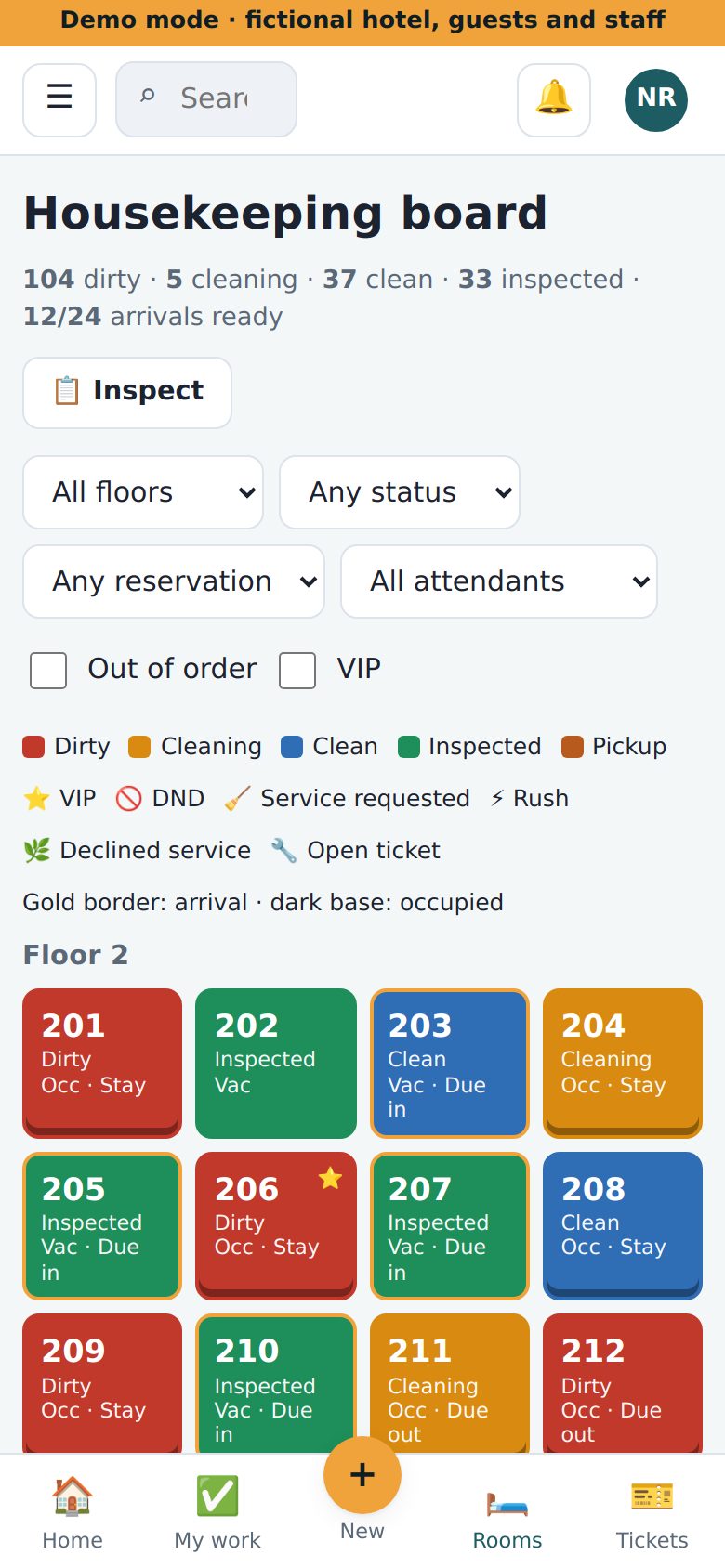
- 🟨 Gold border? A guest comes today. Clean it first.
- ⚡ Rush? Clean it now.
Room colours
| Colour | It means |
|---|---|
| 🟥 Red | Dirty |
| 🟧 Orange | Cleaning now |
| 🟦 Blue | Clean |
| 🟩 Green | Checked. Ready for a guest. |
Little icons: ⭐ VIP guest. 🚫 Do not disturb. 🧹 Guest wants cleaning. 🔧 Something to fix.
Clean a room
- 👆 Tap the room.
- ▶️ Tap Start cleaning. The room turns orange.
- 🧽 Clean the room.
- ✔️ Tap Clean. The room turns blue.
The guest says no
- 🚫 Do not knock? Tick DND.
- 🌿 No cleaning today? Tick Declined service.
Something is broken
- 👆 Tap the room.
- 🔧 Tap Report a problem.
- ✍️ Say what is wrong. Add a photo.
- 📨 Tap Create request.
A guest left something
🧳 Tap ☰, Lost and found, + New. Say what and where. Give it to your supervisor.
If something is wrong
- 😕 Cannot sign in? Ask your supervisor.
- 🔕 Phone is quiet? Tick On shift.
- 🚨 Fire or danger? Call 911 first.
Why this helps you: your taps show your good work. Nobody marks you late for a room you could not enter.
ExpTix · free and open-source hotel operations · moosesystems.github.io/EXPTIX