 ExpTix
Supervisor
Hand out the work, check it, catch the late ones
One-page sheetFor: Shift leads, housekeeping and engineering supervisors
What you get
- One screen that shows every open job for your team, who has it and how long it has left.
- Fair room assignments in one tap, based on room credits.
- Inspections that turn every failed line into a job for the right team, with no extra typing.
Your first week
- Add ExpTix to your phone’s home screen. In My account, turn on push alerts and two-step sign-in.
- Check every person on your team has the right role and department. Your GM or administrator fixes it in Users.
- Check each attendant’s room credits per shift (about 14 to 16 is typical). Suites cost more credits than standard rooms.
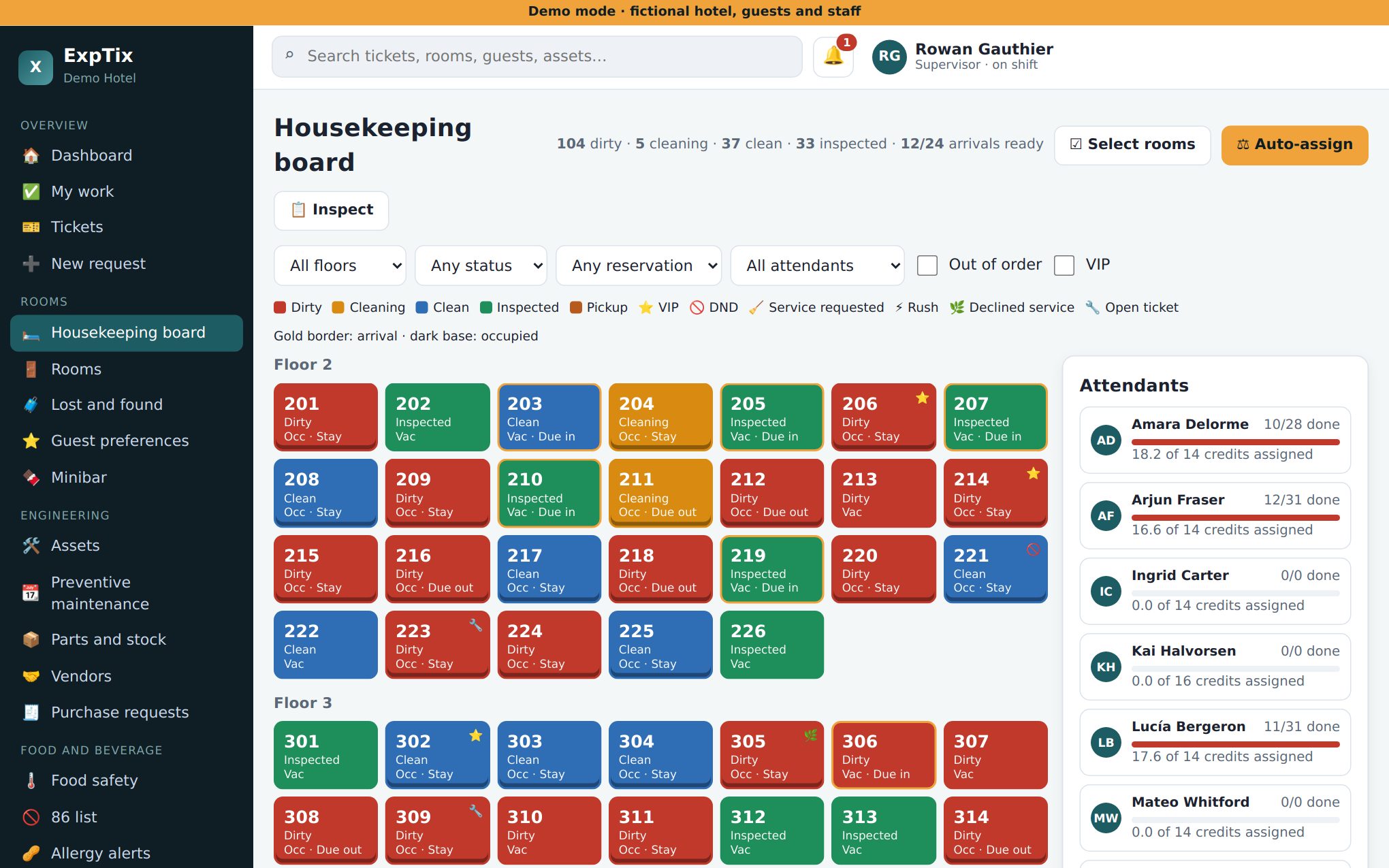
- On day one, open Rooms and tap Auto-assign. Adjust by hand if you need to: Select rooms, pick a name, Assign.
- Walk one room with Inspections so you know how a ✕ becomes a job.
Your daily rhythm
| When | What |
|---|---|
| Start of shift | Read the Shift logbook and tap Mark read. Check who is On shift. Run Auto-assign. |
| During the shift | Watch Home: Overdue, SLA breached and Unassigned. Tap a number to see those jobs. Assign anything unassigned. |
| Rooms | Inspect blue rooms, due-in rooms (gold border) first. Press Inspected on a pass so it turns green. |
| End of shift | Write the handover in the Shift logbook. Use Action required for anything the next shift must do. |
Numbers to watch (in Reports)
- SLA misses and average response time for your department.
- Inspection count, average score and pass count.
- Rooms cleaned per attendant.
- Repeat-problem rooms: ask Engineering for a real fix, not another patch.
Decisions you own
- Who gets which rooms and jobs, and when to move work between people.
- Marking rooms Inspected.
- Changing a job’s type, priority or department when routing got it wrong.
Your department manager sets SLA targets, categories and checklists. Tell them when a timer or checklist does not match real life.
Honest limits
- Auto-assign only uses people who are ticked On shift. If someone forgets, they get no rooms.
- Without a PMS link, room status (occupied, due in, due out) is only as accurate as your team’s taps.
- The screens are in English only today.
ExpTix · free and open-source hotel operations · moosesystems.github.io/EXPTIX