 ExpTix
Owners and auditors
See the real records, change nothing
One-page sheetFor: Owners' representatives, asset managers, brand, insurance and compliance reviewers
What you get
A read-only Auditor account. You see every department’s jobs, rooms, food safety logs, incidents, reports, the audit log and the security page. The buttons are greyed out, so you cannot change anything by accident.
How to get an account
- Ask the property’s general manager or administrator for an Auditor account.
- They create it in Users with the role Auditor (read-only) and give you a temporary password in person or by a safe channel.
- Sign in, pick your own password and turn on two-step sign-in in My account. When the review ends, they untick Active.
What evidence exists
| You want | Where to look |
|---|---|
| Maintenance history | Each asset’s jobs, labour and parts |
| PM done | Ticked PM checklists. Reports, PM on time |
| Food safety (HACCP) | Food safety: every reading, who, when, and the action taken |
| Inspections | Completed checklists, scores, jobs created |
| Incidents | Incident reports and follow-up jobs |
| Key control | Key control: who had each master key, out and back |
| Guest service | Reports: response, ratings, recovery |
| Vendor paperwork | Vendors with insurance and WCB expiry dates |
| Security controls | Security and compliance (NIST map) |
Can I trust the record?
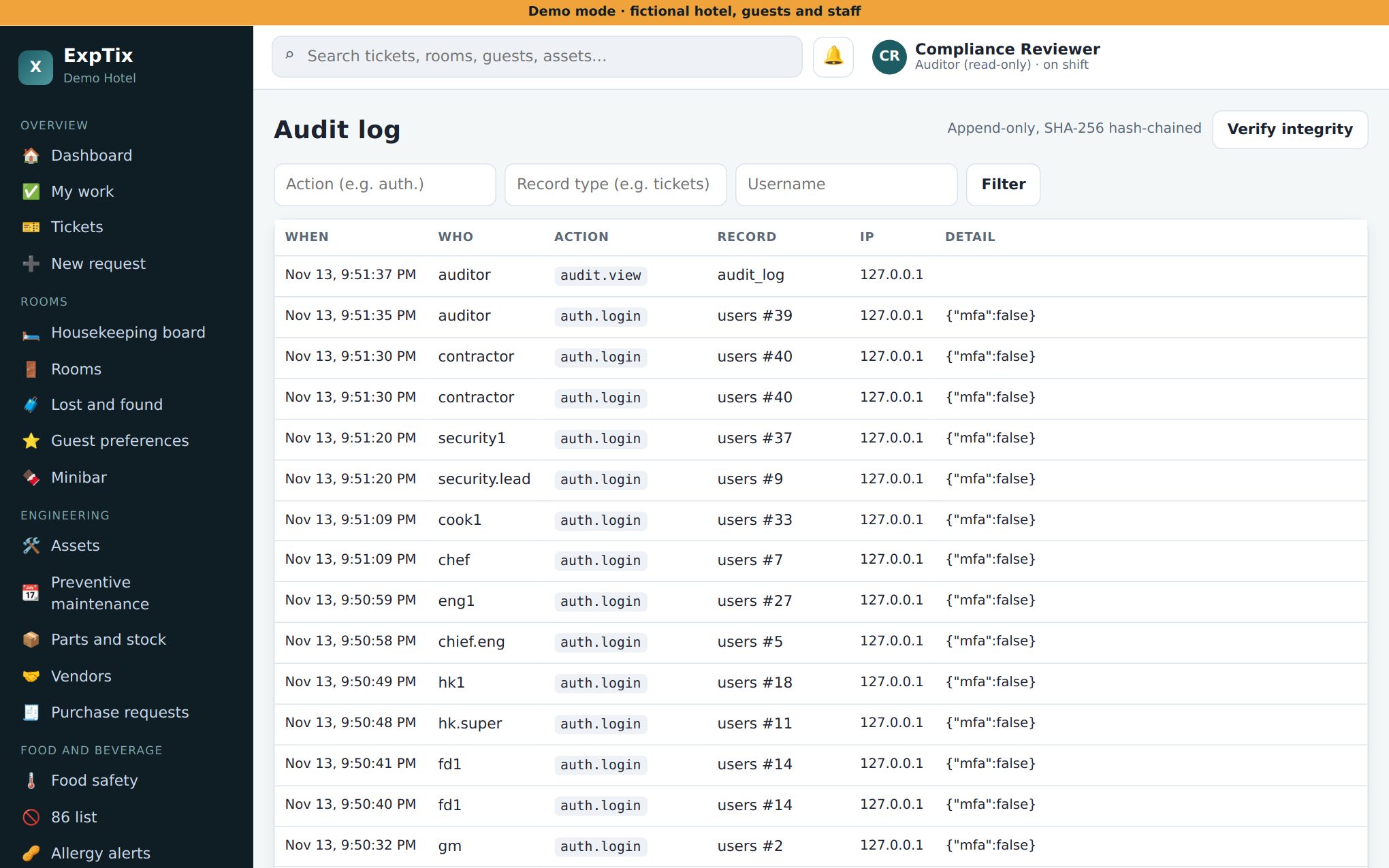
- The Audit log records every sign-in and every change. Each line is chained to the one before, so a change or deletion breaks the chain.
- Tap Verify integrity. A ✓ means the chain is intact.
- People are never deleted, so their history stays.
Honest limits
- The record is only as complete as the property’s use of ExpTix. Paper logs kept outside it are not here.
- Without a PMS link, room status is typed by staff.
- The audit log is kept for 7 years by default. The property sets this.
- ExpTix is self-hosted. Ask who hosts it, how it is backed up, and where the data lives.
ExpTix · free and open-source hotel operations · moosesystems.github.io/EXPTIX