 ExpTix
Maintenance tech
Fix it, log it, done
One-page sheetFor: Maintenance techs and engineers
Start your shift
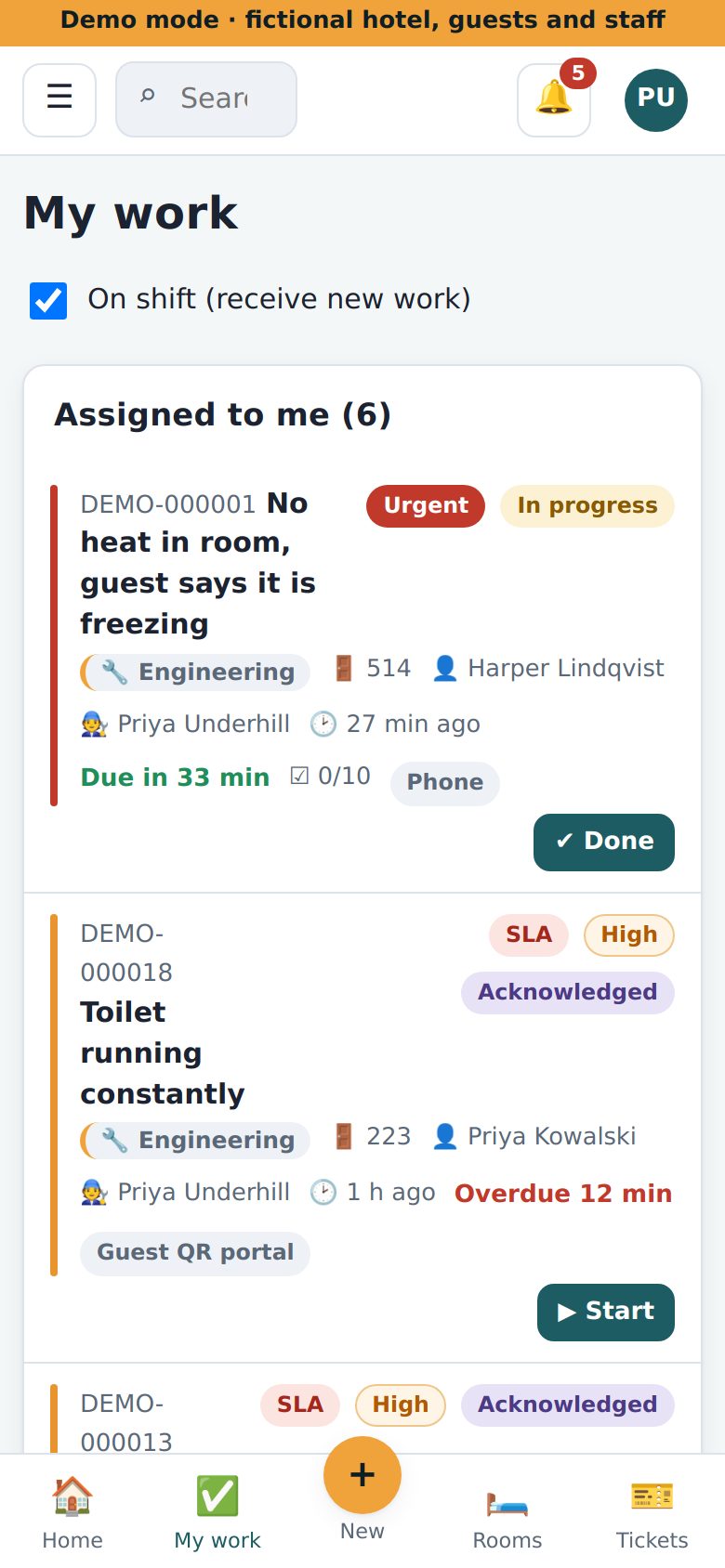
- 🟢 Open My work. Tick On shift.
- 🔴 Red stripe? Most urgent. Do it first.
Fix a job
- 👆 Tap the job. Not yours? Tap Take it.
- 🔁 Look at Asset history and the room history on the job. 🔁 means it keeps breaking. Look for the real cause.
- ▶️ Tap Start.
- 🛠️ Fix it.
- ⏱️ Under Log time and parts, type your minutes. Tap Log. Pick each part. Tap Use.
- ✔️ Tap Resolve. Write one line: “Replaced flapper.”
- 🛏️ Room was out of order? Leave Return room to service ticked.
PM jobs
📆 PM jobs come by themselves on a schedule. Example: clean dryer vents. Do each checklist step. Tick it. Tap Resolve.
Waiting or need help
- ⏸️ Waiting for a part? Tap On hold. Say why.
- ➕ Need another team? Tap Follow-up for another team.
If something is wrong
- ✋ Resolve warns you? Tick the checklist steps, or say why.
- 🙈 Cannot see a job? Ask your supervisor.
- 🚨 Fire or danger? Call 911 first.
Why this helps you: your time and parts build the machine’s history, so the chief can replace bad machines instead of you fixing them again.
ExpTix · free and open-source hotel operations · moosesystems.github.io/EXPTIX