 ExpTix
Guest QR card
The in-room tent card, and what guests see
One-page sheetFor: Guests
Card text (print this)
Need something? Just scan. 📱
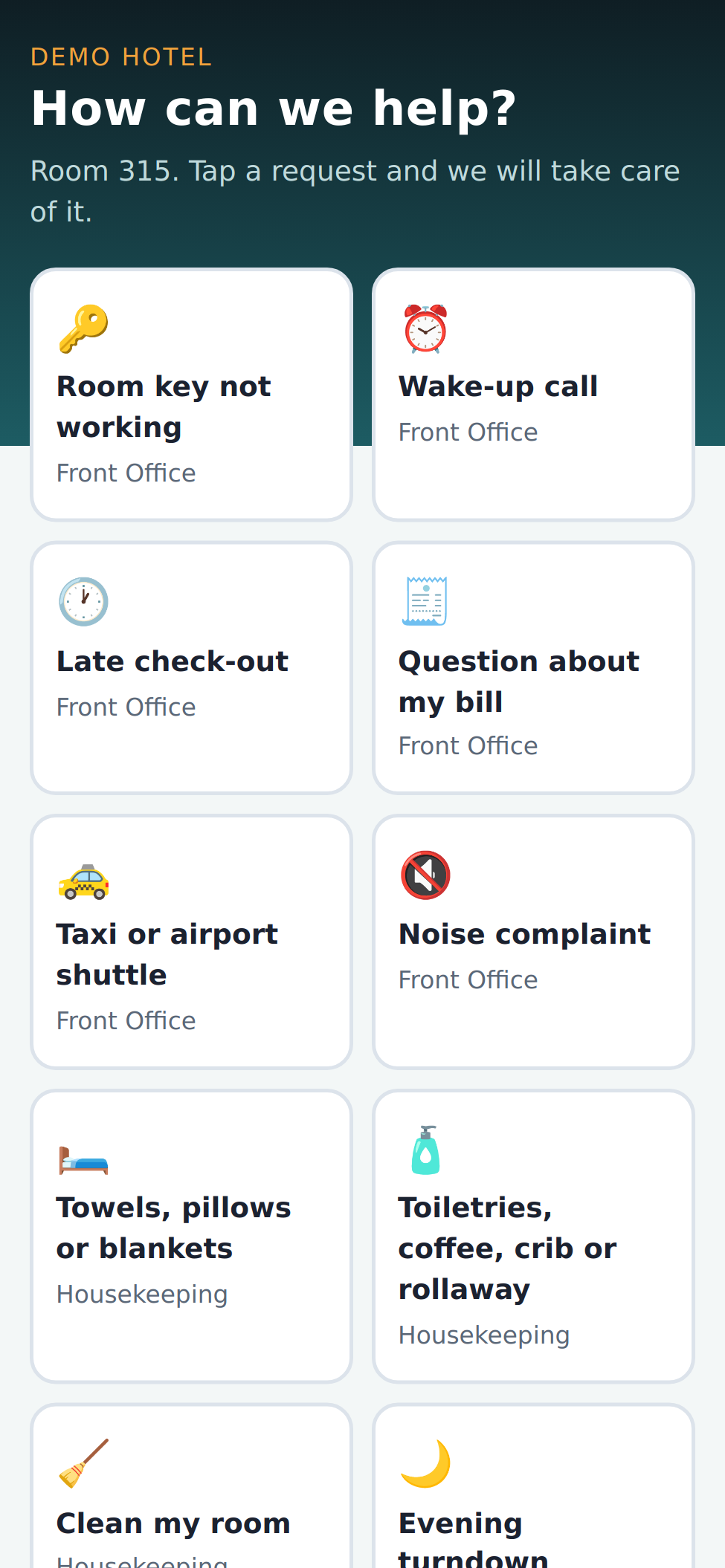
Point your phone camera at the code. Tap what you need: towels, room cleaning, a wake-up call, late check-out. No app. No sign-in.
You will see your request move: Received, On its way, In progress, Completed.
Need something urgently? Please call the front desk.
For staff: what the guest sees
- 📱 The guest scans the code. The page knows the room.
- 👆 They see “How can we help?” and big buttons. Restaurant hours too.
- 📨 They tap Send request.
- 🎫 It becomes a job for the right team. It shows a Guest QR portal tag.
- 💬 Pick Message guest to talk to them. They read every word. Be kind.
- ⭐ At the end they rate 1 to 5 stars. 1 or 2 stars alerts the front office.
If something is wrong
- 🖨️ Card missing or wrong room? Tell your manager. An admin prints new ones from Room QR codes.
- 🚫 Never put a staff note in Message guest. Use Internal note.
Why this helps you: fewer phone calls, and the guest sees you are already on it.
ExpTix · free and open-source hotel operations · moosesystems.github.io/EXPTIX