 ExpTix
General manager
The whole property on one screen, real numbers instead of guesses
One-page sheetFor: General managers and hotel managers
What you get
- Every department, every room and every report in one place.
- Escalations come to you: in the demo settings, Critical, Urgent and guest complaint jobs escalate to the GM when they run late.
- Guest ratings from the QR portal, with an alert to the front office for any 1 or 2 star rating.
- A record of what was given back to unhappy guests, and what it cost.
Your first week
- Take the 10-minute GM tour in the staff guide: Home, Tickets, Housekeeping board, Food safety, Shift logbook, Reports, Room QR codes, Integrations.
- Turn on two-step sign-in in My account. Ask your administrator to make it required for managers and up.
- Agree the SLA policies with your department managers, then save them. Only the GM and administrator can change SLA policies and notification rules.
- Decide who gets escalations and when, then set Notification rules.
- Scan a Room QR codes card with your own phone and send a request. Watch it arrive in Tickets.
- Post your first Announcements message so staff see it on Home.
Your morning routine (5 minutes)
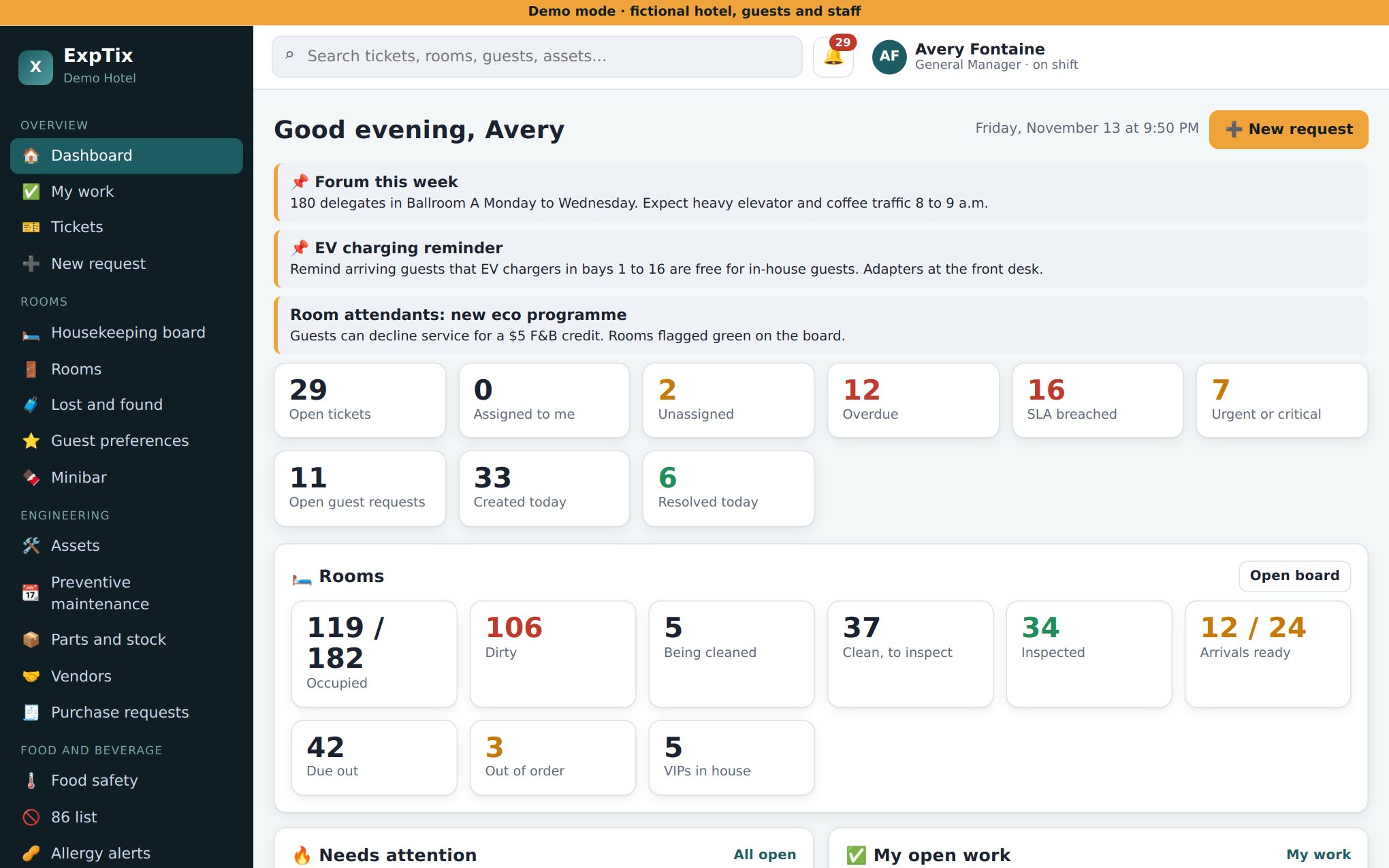
- Home: department tiles show open, breached and urgent jobs. One look tells you which team needs help.
- Tap SLA breached. Ask the owner of the oldest job what is blocking it.
- Shift logbook: read the Important and Action required notes from the night.
- Check arrivals ready (green due-in rooms) against arrivals due.
Your weekly rhythm
- Reports for 7 days in the managers’ meeting. Print it.
- Reports for 30 and 90 days once a month: trends, not single bad days.
- Review guest complaints and their service recovery.
Numbers to watch (in Reports)
- Average response and resolve times, and SLA misses by department and priority.
- Guest ratings (average out of 5) and complaint count.
- Repeat-problem rooms. “Room 317 has had 6 plumbing calls this month” tells you where to spend money.
- Costly machines: job count, labour and parts per asset.
- PM generated, completed and on time.
- Inspections: count, average score, passes.
Decisions you own
- SLA targets and escalation (who hears, after how long).
- Notification rules: which events alert which people, by which channel.
- Departments: rename, add or switch off.
- Users and roles (with your administrator).
- Whether guests see a request type on the QR portal.
Honest limits
- ExpTix shows the numbers. It does not set targets or promise savings. You decide what good looks like and measure against it.
- Without a PMS link, room status is only as accurate as staff taps.
- The Opera Cloud and Canary links are beta and not yet tested against live systems. Pilot them in mock mode first.
- One property per install. The screens are English only today.
ExpTix · free and open-source hotel operations · moosesystems.github.io/EXPTIX