 ExpTix
Cook and steward
Safe food, clear lists, fast repairs
One-page sheetFor: Cooks, chefs and stewards
Temperature checks
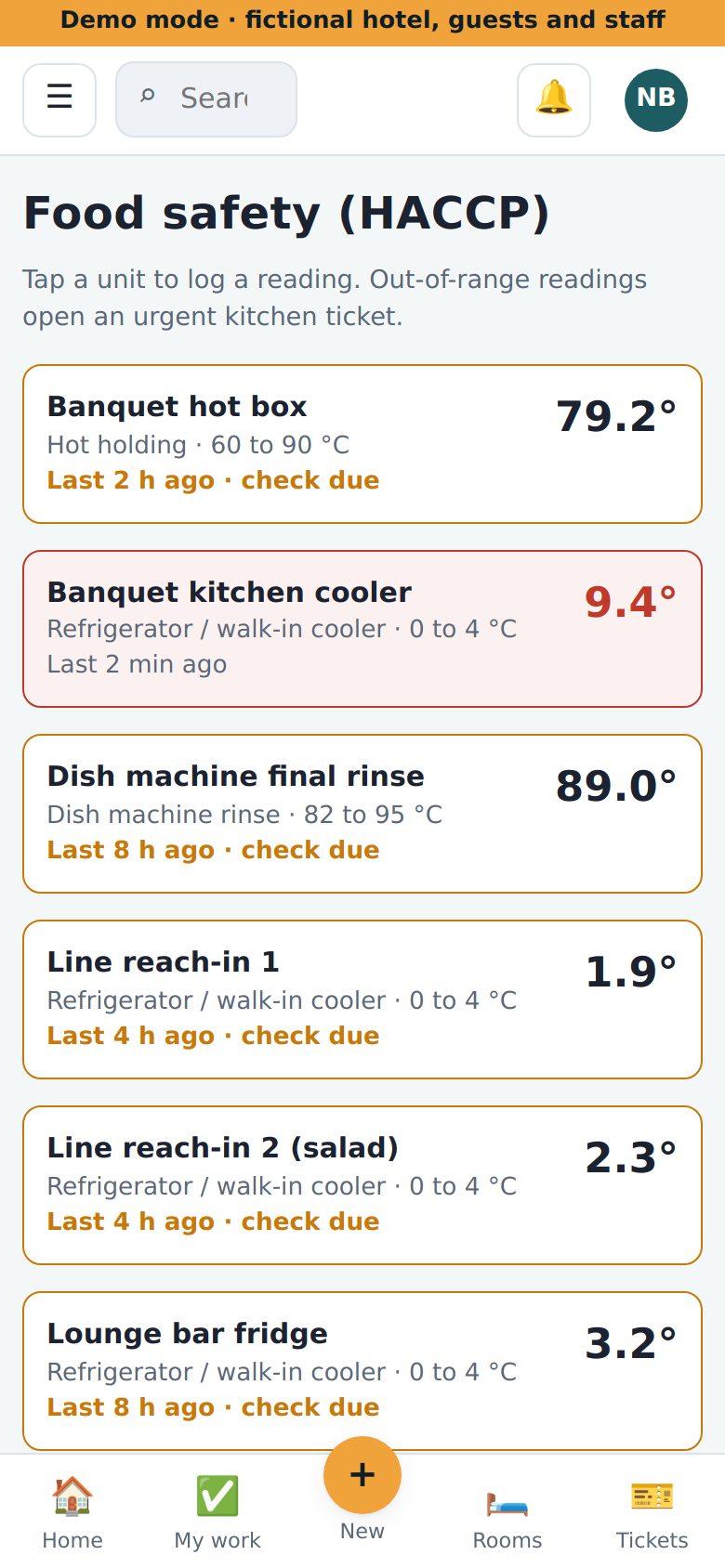
- ☰ Tap the menu. Tap Food safety.
- 🟧 Orange border? A check is due.
- 👆 Tap the fridge or freezer.
- 🌡️ Type the temperature. Tap Save reading.
Out of range
- 🟥 Red means not safe.
- 🥶 Move the food. Tell your chef.
- ✍️ Write what you did in Corrective action.
- 🚨 ExpTix opens an urgent job for the kitchen and Engineering by itself.
86 list (we ran out)
- ☰ Tap 86 list. Tap + New.
- 🍽️ Type the item. Pick the outlet. Add Suggest instead.
- ✅ It is back? Untick Active.
Allergy alerts
- ☰ Tap Allergy alerts.
- 🥜 Check it before every event and room service order.
- ➕ New allergy? Tap + New.
Broken equipment
- ➕ Tap + New.
- 🔧 Tap the quick pick Kitchen equipment.
- ✍️ Say what is wrong. Tap Create request. It goes to Engineering, fast.
If something is wrong
- 📡 Some units log by themselves. You still check your list.
- 😕 Stuck? Ask your chef.
- 🔥 Fire? Call 911 first.
Why this helps you: the inspector sees a clean log, and no guest gets sick on your shift.
ExpTix · free and open-source hotel operations · moosesystems.github.io/EXPTIX